
Adding or Updating Payment Methods
MantisHub supports all major credit cards (Visa, MasterCard, and American Express) for collecting payments. Credit card payments will automatically renew on your anniversary date for annual payment plans, or monthly if you've opted to pay month to month. See monthly vs annual payments for the advantages of paying annually.
We require a payment method on file for automated renewals and any potential mid-period payments, such as User or Storage packs.
We don’t currently support payment by check, but customers on annual platinum plans or larger can opt for invoice billing and pay via bank transfer for an extra surcharge. If you do not have a credit card or your credit card does not support automated payments, you should reach out to our team regarding the invoice billing option.
Steps to Add or Edit Credit Card
To add or update your payment method, you will need to have administrator access level. Log in to your MantisHub service.
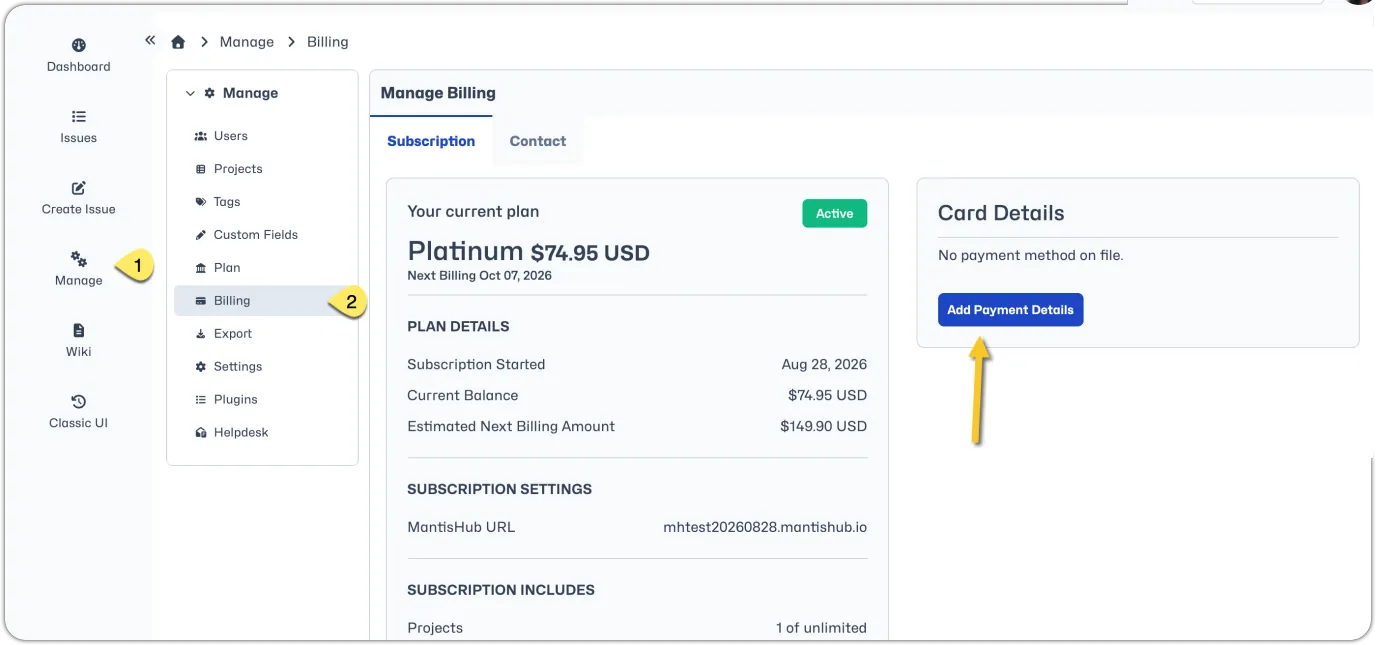
- Go to the 'Manage' page and select 'Billing'. On the right under 'Card Details' you will see the option to 'Add Payment Details' or 'Edit' if you already have a card on file.
- Fill in the details and select 'Submit'.
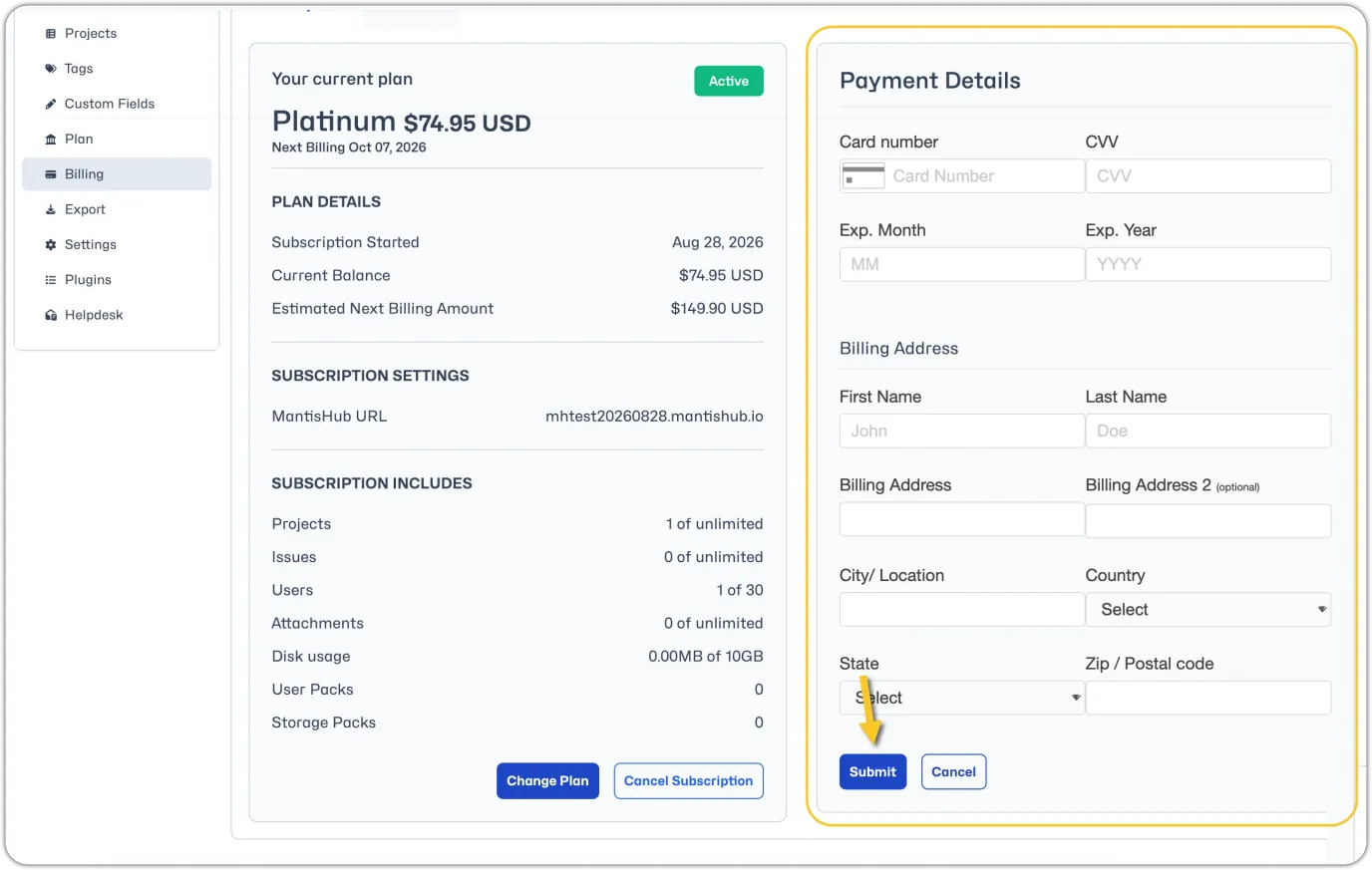
Your card will now be on file as the primary payment method for any automated payments. If you are editing existing payment details, the card you enter will replace the old card as the primary payment method.