
Switching Plans
Customers can switch plans at any time from within their MantisHub. But before you can change plans, you will need to make sure you have added a payment method to the account. Otherwise, you will receive an error message.
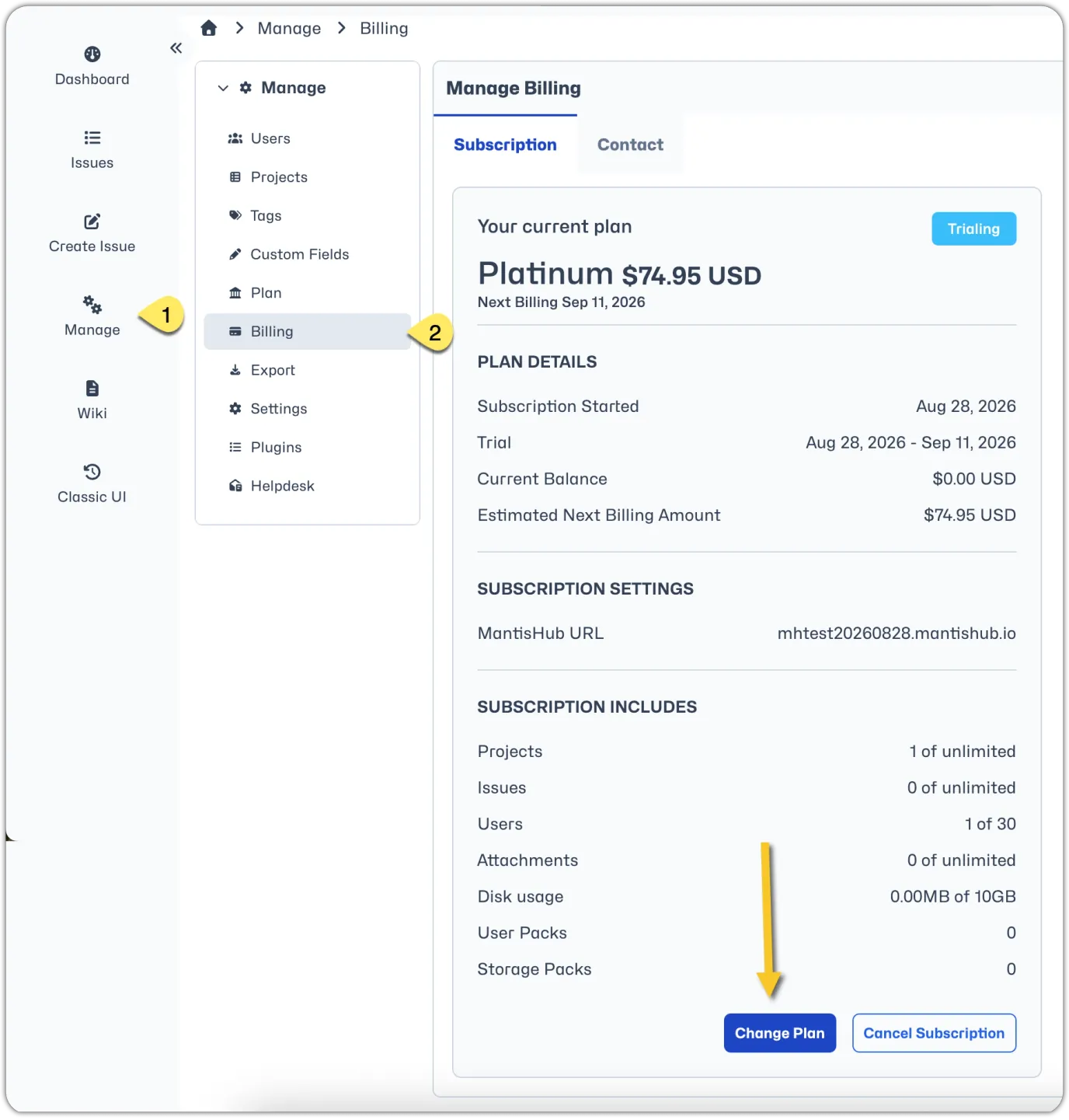
To make the change, administrators need to select 'Billing' from the 'Manage' page in your MantisHub. Then click on 'Change Plan'.
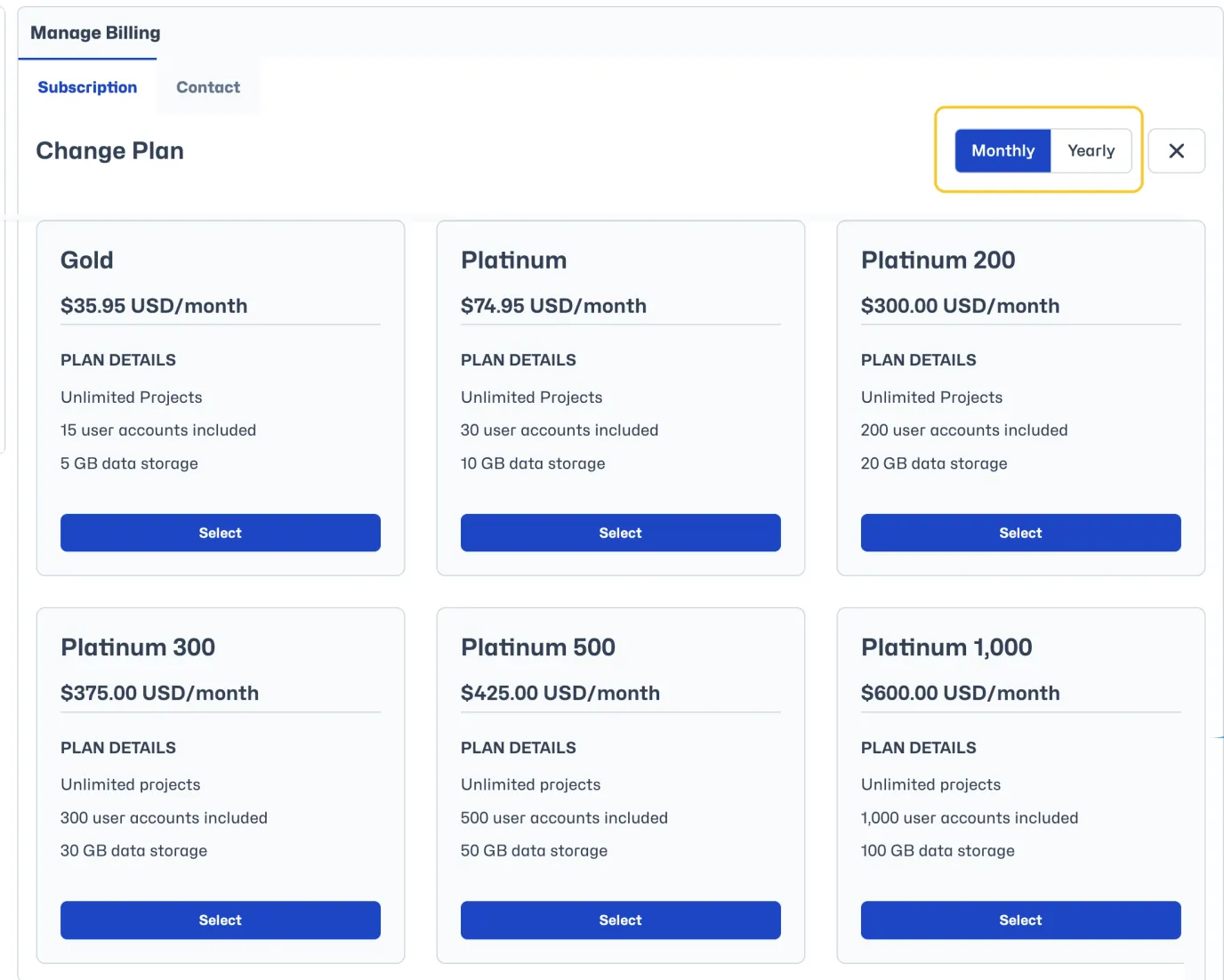
Take note of the toggle button at the top to switch between viewing monthly and annual plans. Select the plan you wish to change to.
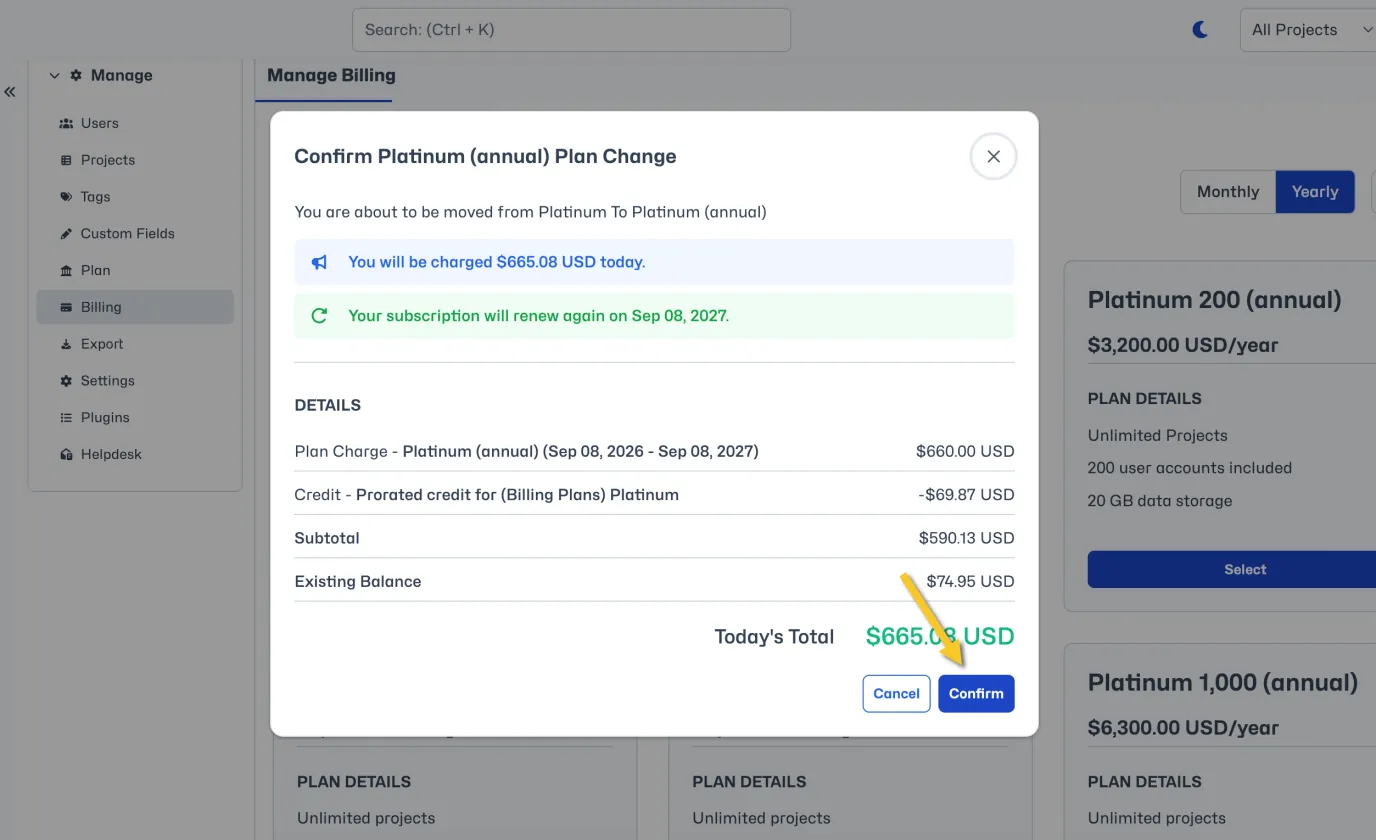
You will see a preview of charges, including any pro-rated credit deducted from your old plan. Click 'Confirm' to switch plans. Your new billing plan will begin straight away and the billing period will start anew.
You can also check your 'Plan' tab within MantisHub to see your subscription details.