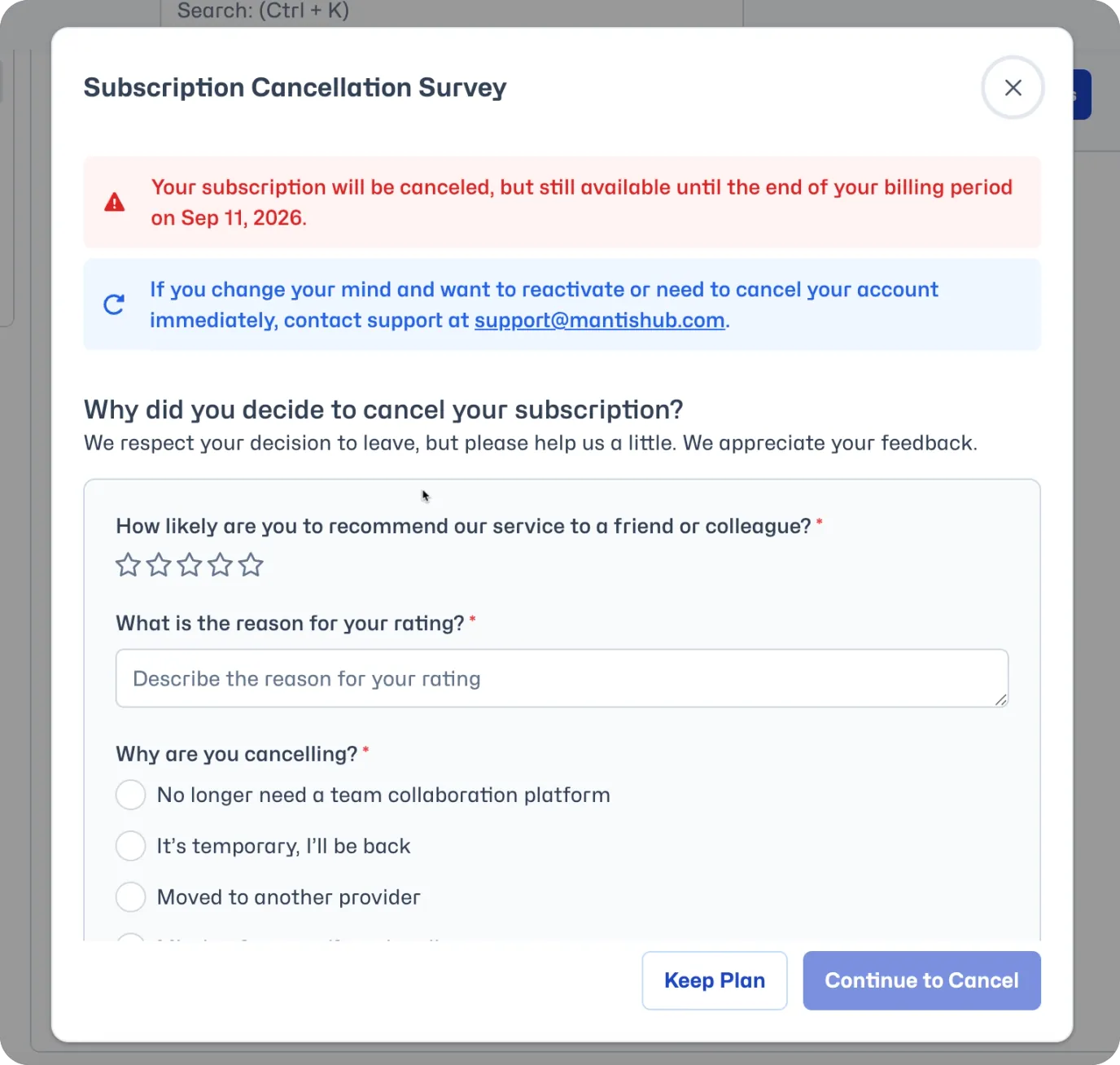
Closing/Cancelling your MantisHub Account
It is important to note that once you close your account, all your data will be deleted from our service. Cancellation or trial expiry starts a 30-day retention period before the account data is automatically purged. This is an irreversible action.
It is recommended that you export a backup of your data before closing your account. See Exporting your Data Backup. Restoring this backup later will be considered a migration and charged accordingly.
To close your account, administrators need to navigate to the 'Manage' - 'Billing' page in your MantisHub. Then simply Click on 'Cancel Subscription'.
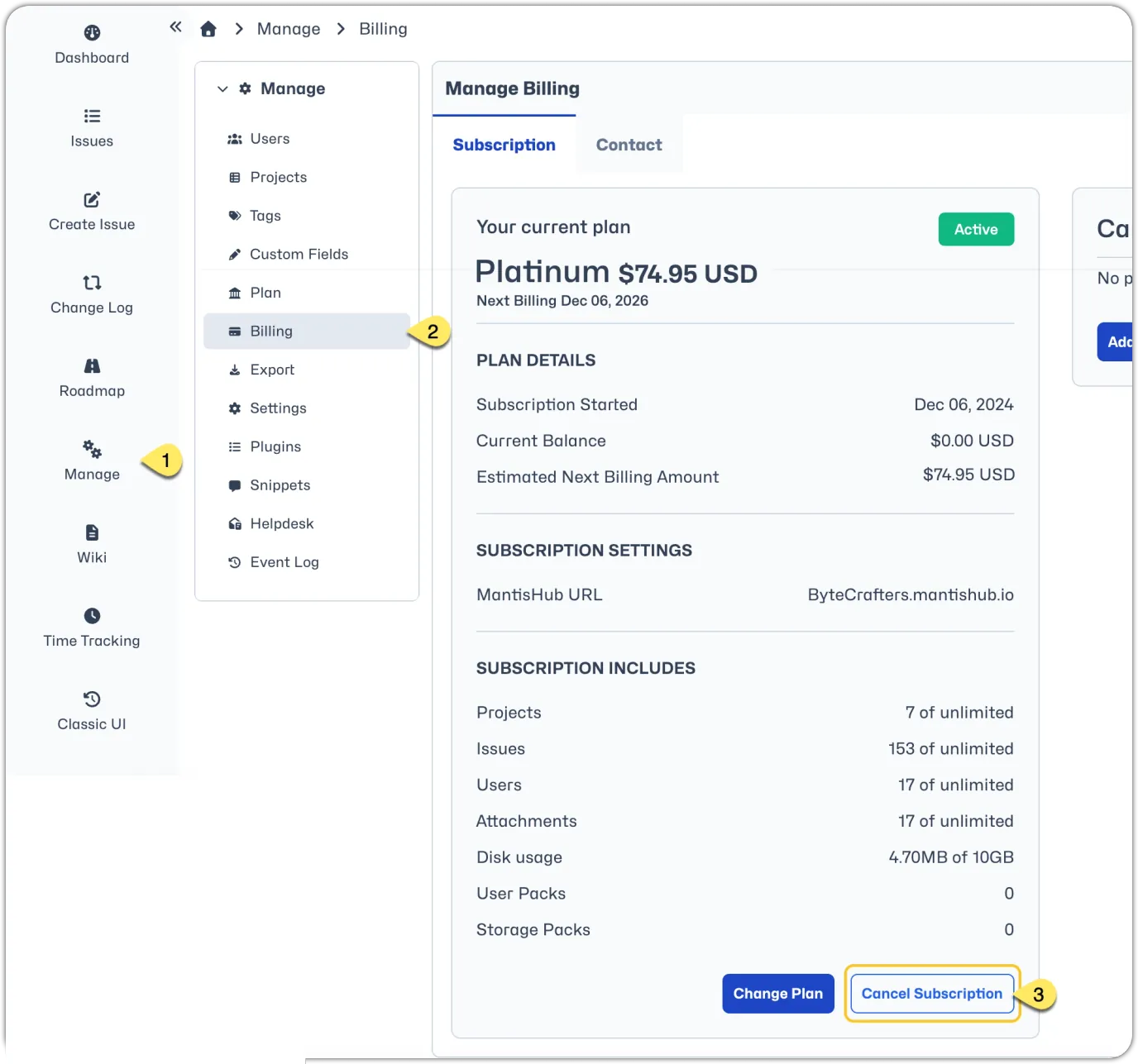
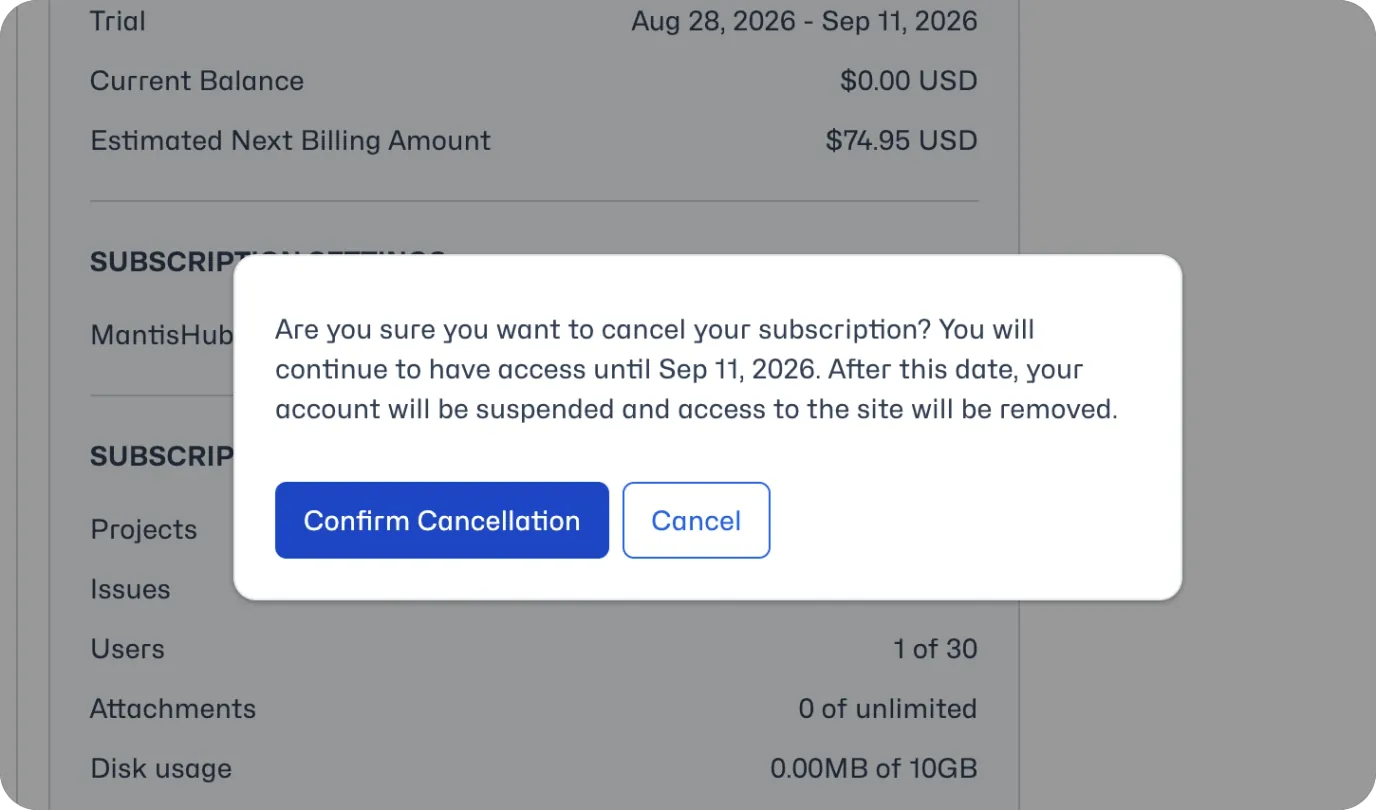
The account will be cancelled but available until your renewal date, after which it will be suspended. If you need to cancel immediately, please contact our support team.
Don't forget to let us know the reason you've cancelled, and any feedback you can provide on our MantisHub service would be greatly appreciated! We are always looking for ways to improve our product.