
Updating Customer Contact Details
The name and email address used to create your MantisHub account is considered the account owner and this email address is used for all correspondence from MantisHub. This includes emails for invoices/statements and system notifications.
To update your contact details, you will need to have administrator access level. Login into your MantisHub service.
- Go to the 'Manage' page and select 'Billing'. Click on the "Contact" tab and then click "Edit"
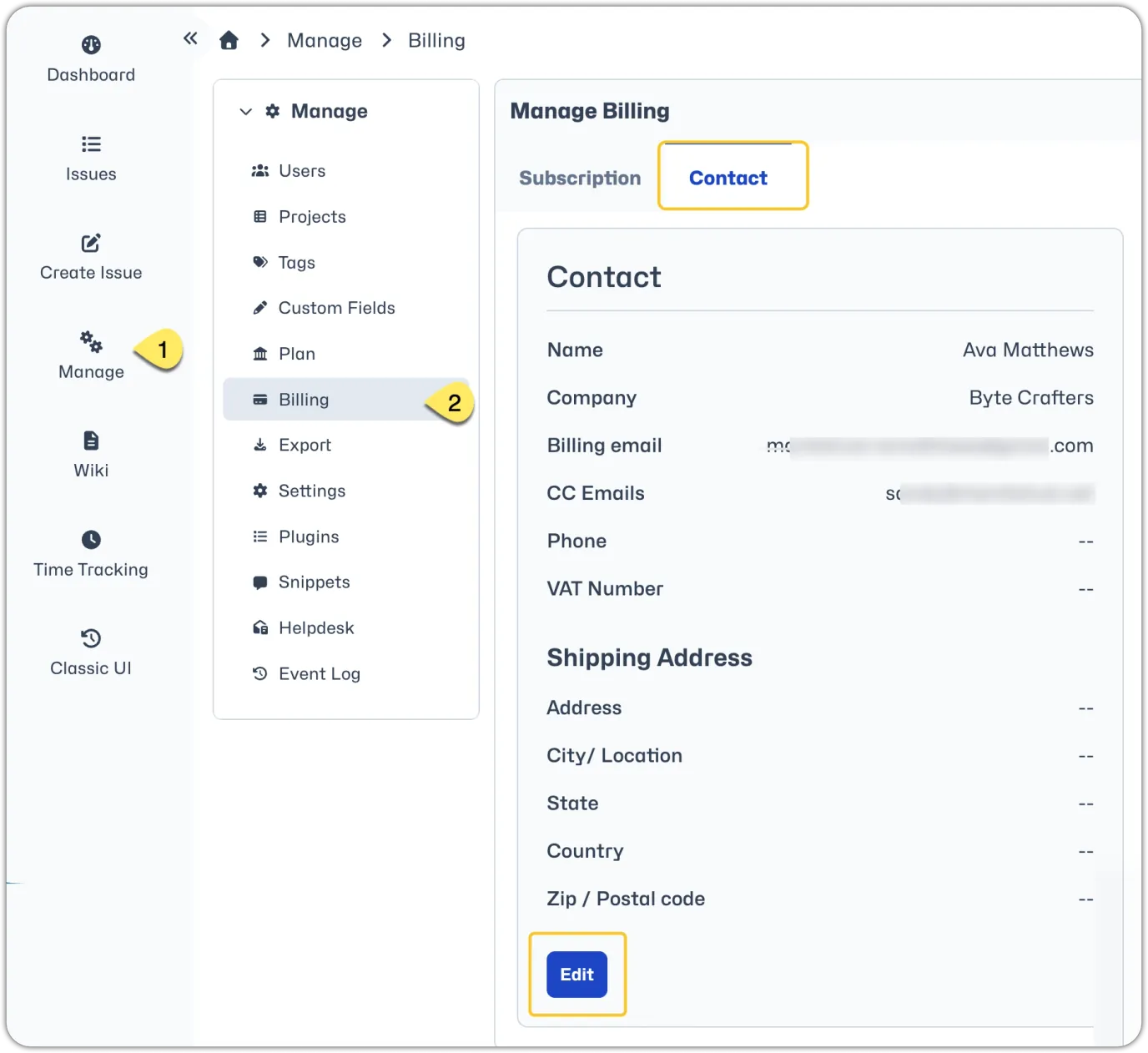
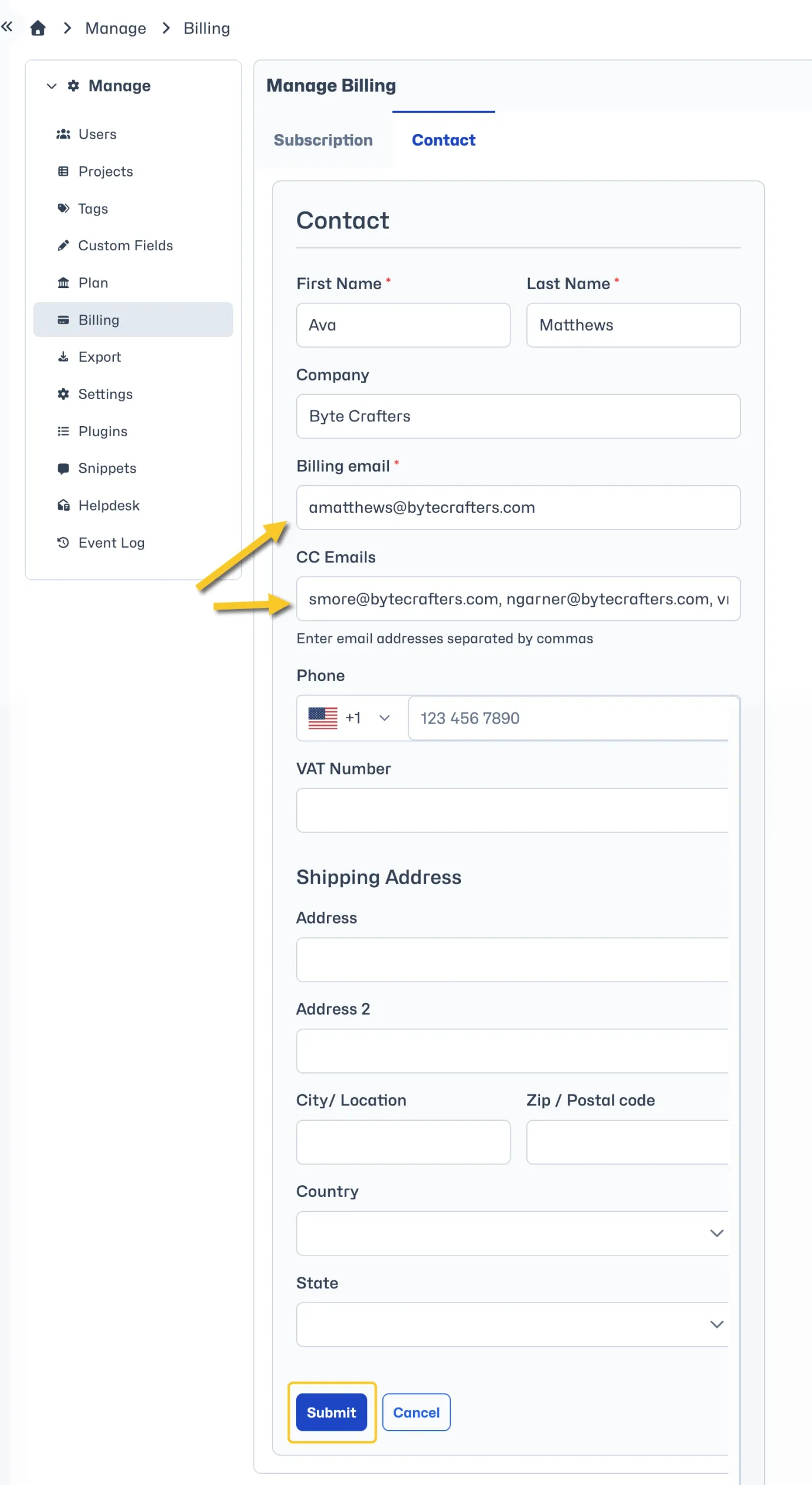
Update the contact details as needed. You can update the account owner name, email address and include any additional email addresses in the "CC Emails" field to receive billing notifications. You can CC mulitple email addresses; separate them by commas.
This is also where you can update other contact information such as company name, phone number, shipping address and VAT details.
Make sure to click "Submit" to save your changes.
Please note, if you update your account owner email address it won't automatically update the "Contact administrator" link in the footer of your MantisHub. Please email the support team to have this updated.
