Authentication Timeout
As a security feature, MantisHub will ask for re-authentication when a user attempts to access administration settings (Manage Page) or personal settings (My Account). By default reauthentication is triggered if user hasn't explicitly signed in (provided credentials) within the last 5 minutes.
Accessing regular pages for managing issues doesn't trigger reauthentication.
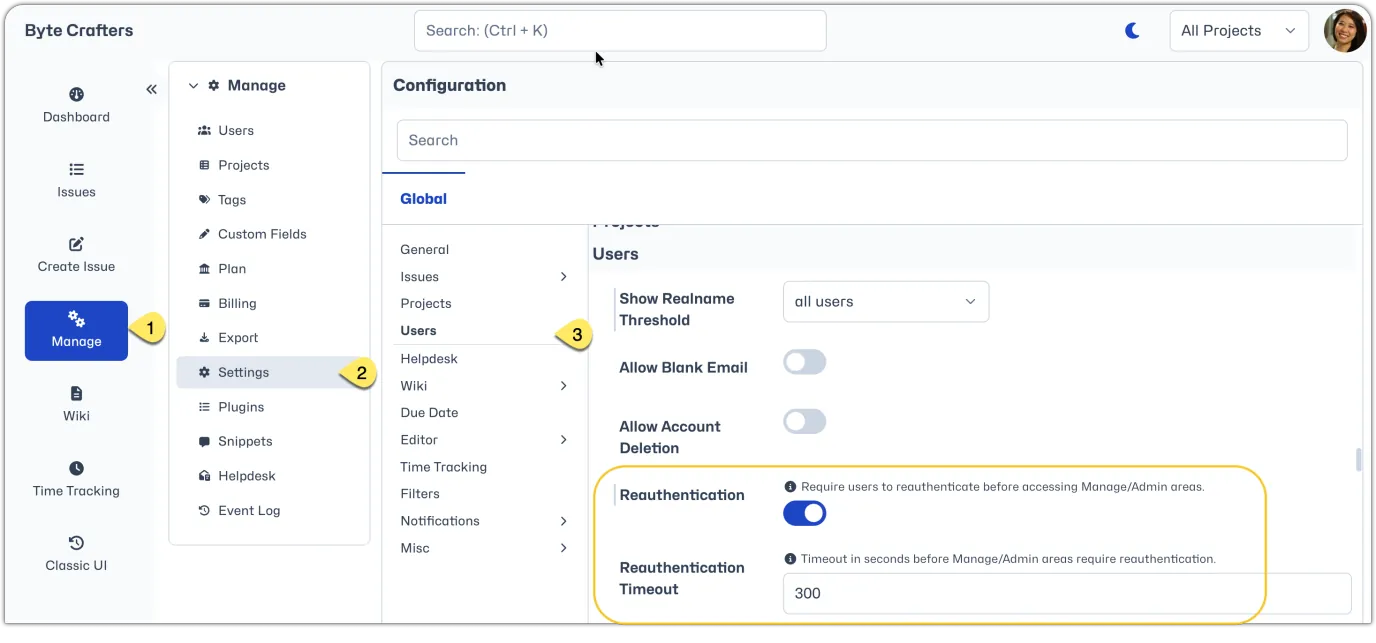
It is possible to change the timeout setting or turn off reauthentication altogether. Just head to Manage - Settings. Under 'Users' you will see the relevant settings.
To enable or disable re-authentication, toggle the "Reauthentication" setting.
Once reauthentication is turned on, you can adjust "Reauthentication Timeout" setting. The default setting is 300 seconds (5 minutes). Adjust the value using seconds to the desired timeout period.